Inaccessible services do not work.
If someone cannot use a service, it does not matter how well it is built. People get stuck, drop off or find another way around it.
Accessibility is about making sure everyone can use the service, including people with disabilities, low digital literacy or limited English.
That is what good design delivers.
- Standard
- WCAG 2.2 AA
- Law
- Disability Discrimination Act 1992
- Reach
- 1 in 5 Australians
- Risk
- Legal, reputational, commercial
The four POUR principles.
Perceivable.
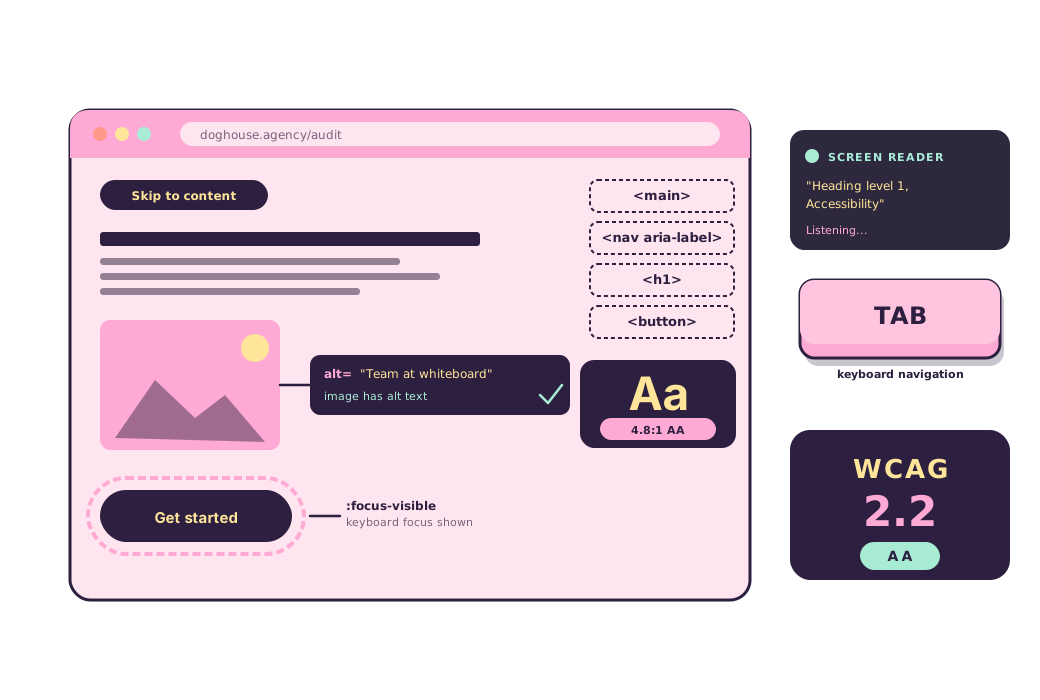
Users have to be able to take the content in. Sufficient colour contrast. Alt text on every meaningful image. Captions on media. Content that adapts to assistive technology.
Operable.
Users have to be able to drive the interface. Full keyboard support. Visible focus indicators. Enough time to finish a task. No flashing patterns that can trigger seizures.
Understandable.
Users have to know how the interface works. Plain language. Predictable navigation. Error messages that explain the fix, not just the problem.
Robust.
The interface has to hold up across browsers, devices, and assistive technologies. Semantic HTML first. ARIA where it adds value. Nothing that depends on one device or one browser.
What we deliver.
WCAG 2.2 AA audit
Comprehensive manual and automated audit against all WCAG 2.2 AA success criteria, including screen reader testing and keyboard navigation review.
Accessibility remediation
Prioritised remediation of identified issues with developer-ready specifications, code examples, and fix guidance.
Design for inclusion
Accessibility integrated into the design process from day one. Colour contrast, focus management, touch targets, and plain language.
Ongoing compliance
Regular accessibility reviews to catch regressions introduced by content updates, new features, and third-party integrations.
Our process.
Audit.
Automated scanning plus manual review against every WCAG 2.2 AA success criterion. Screen reader testing with NVDA, JAWS and VoiceOver. Keyboard-only navigation. Colour contrast checks. Mobile and touch target review.
Report.
Prioritised issue register. Every finding with severity, WCAG criterion reference, plain-language explanation and a recommended fix. Grouped by page template and effort so your team knows where to start.
Remediate.
Developer-ready specifications for every issue. Code examples, ARIA patterns, semantic HTML. We can do the fixes ourselves or hand the spec to your team. Nothing is left ambiguous.
Re-test.
Verification testing against the original audit criteria. Every reported issue confirmed resolved. Adjacent areas re-tested to catch regressions introduced by the fixes.
Maintain.
Regular reviews catch regressions from content changes, new features and third-party integrations. Quarterly, biannual, or release-triggered. Whatever your delivery cadence needs.
Every audit ships with these.
Full audit report against WCAG 2.2 AA with severity rankings and success criteria.
Code-level remediation specs your developers can build from. No hand-waving.
A public accessibility statement draft you can publish the day we hand over.
A team training session so compliance holds after we are gone.
Regression re-audits to catch new issues after content or feature updates.
Accessibility is not optional.
Government digital services must be accessible to every citizen. We audit, remediate, and train. So your team can maintain compliance long after we are done.